Quarterly Earnings - YOY ATH and QOQ HIGHHere is a comprehensive and professional description suitable for publishing your script on TradingView. It highlights the features, explains the logic (especially the new ATH color coding), and gives proper credit to the original author as per the code.
You can copy and paste this directly into the description field when publishing.
Title: Quarterly Earnings & Sales Monitor
Description:
Overview: This indicator brings essential fundamental data directly onto your chart, allowing you to track a company's financial health without leaving your trading screen. It displays a customizable table featuring Earnings Per Share (EPS) and Sales (Revenue) data, complete with Year-over-Year (YoY) growth percentages.
Designed for both fundamental investors and technical traders, this script helps visualize earnings momentum and growth trends instantly.
Key Features
Smart Highlighting (Trend Detection): The latest quarter's data is automatically color-coded to help you spot strength immediately:
Yellow: Indicates an All-Time High (ATH) in EPS or Sales for the loaded history.
Orange: Indicates the current quarter is higher than the previous quarter (Quarter-over-Quarter growth).
Standard Color: Indicates stable or lower performance compared to the previous quarter.
Flexible Viewing Modes:
Standard Mode: A detailed table showing raw numbers and percentage changes.
Mini Mode: A compact "traffic light" version that replaces numbers with colored dots (Green/Red/Orange) representing YoY growth, perfect for keeping your chart clean.
Fundamental Context:
Displays Free Float or Market Cap (customizable) in the top-left corner of the table, giving you context on the stock's liquidity and size.
Fully Customizable:
Dark Mode: One-click toggle to switch between Light and Dark themes.
Positioning: Place the table anywhere on the chart (Top/Bottom, Left/Right/Center).
Data Size: Adjust how many historical quarters you want to see.
How to Read the Table
Rows: Each row represents a fiscal quarter (or year, depending on settings).
EPS Column: Diluted Earnings Per Share.
Sales Column: Total Revenue.
%Chg / YoY: The percentage growth compared to the same period last year.
Settings
Period: Toggle between Quarterly (FQ) and Yearly (FY) data.
Long Mode: Increase the number of historical periods displayed.
Size: Adjust the text size of the table to fit your screen resolution.
Credits: This script is built upon the "Volume Price and Fundamentals" concept by Mohit_Kakkar08, enhanced with ATH tracking, UI improvements, and specific color logic by finallynitin & EquityCraze.
펀더멘털 어낼리시스

FX-CLINIC MARKET STRUCTUREThis indicator help the treaders by SMC/ICt to mark the structure MSS/BOS automatically, and you can choose the length of the structure as 5 for fractal, 10 for internal and 15 for external
use it free
note: check your information and correct the structure as you know,
it is first edition and go to upgrade and correct
feel free to sent any note in telegram
privet: @DRALIAWWAD
and the public channel: @ictdrawwad


Minervini Trend Template upgrade - TP Minervini Trend Template (SMA/EMA + RS vs Major Indices)
Credits: Original script by © yogy.frestarahmawan (MPL 2.0).
Modified & updated by: © TradersPod (added MA selection + RS comparison vs major index futures).
This indicator is a simple checklist tool based on Mark Minervini’s “Trend Template” concept. It helps you quickly see if a stock is behaving like a leading stock in an uptrend by evaluating key trend and strength conditions.
What it does:
>The script checks 8 conditions and shows the results in a table panel on your chart:
>Price is above MA150 and MA200
>MA150 is above MA200 (a classic “healthy uptrend” structure)
>MA200 is rising vs ~1 month ago (uses 22 bars back)
>MA50 is above MA150 and MA200
>Price is above MA50
>Price is at least 25% above the 52-week low (stronger stocks tend to be far from lows)
>Price is within 25% of the 52-week high (leaders often stay near highs)
>RS is > Major Indices (TradersPod upgrade)
At the bottom, it also totals how many conditions are met: (X of 8).
TradersPod upgrades included
1) SMA/EMA selection
You can choose whether the trend template uses:
SMA (Simple Moving Average)
or
EMA (Exponential Moving Average)
This lets you match your preferred moving-average style without changing the logic.
2) RS must beat the major indices (futures)
Instead of the old “RS > 70” rule, this updated version requires the stock’s RS Rating to be greater than the strongest (highest RS) among:
-Nasdaq Futures (NQ)
-S&P 500 Futures (ES)
-Dow Jones Futures (YM)
The table shows the RS Rating for each index futures symbol and then confirms whether the stock is stronger than the best-performing major index.
In other words:
If the stock can’t outperform the major indices, it’s probably not a true “leader.”
Inputs / settings
MA Type: SMA or EMA
High/Low Lookback Length: default 260 bars (approx. 52 weeks on daily charts)
Show 52-week High/Low: toggle on/off
Major Indices Symbols: you can change the futures tickers if your broker/data feed uses different symbols
Panel Position: choose where the table appears
Notes (important)
The RS calculation uses the chart’s timeframe (ex: Daily, Weekly). On Weekly charts, the lookbacks become weeks (not days).
This tool is a trend/strength filter, not a full trading strategy. Always add your own risk management, entries, and exits.

ISM + 4Y Sine (Locked, Pane)Overview
This indicator plots a US Manufacturing PMI series (ISM, or a PMI proxy) alongside a stylised 4-year business-cycle sine curve, locked to calendar months. It is designed for macro/cycle context, particularly for comparing economic momentum with risk assets such as Bitcoin or equities.
The indicator runs in its own pane and is intentionally indicator-only (no asset in the lower pane) to keep scrolling/zooming aligned beneath a primary price chart.
────────────────────────
What it shows
ISM / PMI (monthly) — fetched via TradingView’s security() data request from a user-selectable economic data series.
4-Year Sine Curve — a smooth, parameterised cycle intended to approximate the long-run business cycle.
Background shading — optional cue when ISM/PMI is above or below the cycle curve.
────────────────────────
How to use
Apply the script to any chart (commonly BTCUSD or major equity indices).
Set the chart timeframe to 1M (monthly) when tuning the cycle.
In Inputs, select a valid ISM/PMI series available on your TradingView account.
Adjust:
Cycle Length (years) — start around 4.0; larger values can reflect a “stretched” cycle.
Phase Shift (months) — shifts the cycle left/right to align peaks and troughs with historical turning points.
Mid Level / Amplitude — scales the sine wave to match the typical ISM/PMI range (roughly 40–70).
Once aligned on monthly data, you can view the chart on weekly/daily for context (the economic series remains monthly).
────────────────────────
Design notes
The sine wave is anchored to calendar months (not bar count) to prevent drift when switching timeframes.
The lower pane contains no asset, only indicator data, to keep navigation stable beneath the main chart.
If the selected ISM/PMI symbol becomes unavailable, the cycle curve will still plot, but the ISM/PMI line will not display until a valid series is selected.
────────────────────────
Use case
This tool is intended for contextual macro analysis, not as a standalone trading signal. It’s best used to understand where price action sits within the broader economic cycle and to compare current conditions with prior cycle phases.
Not financial advice.

Archetype Zones, Defense Confirmation OverlayArchetype Zones + Defense Confirmation Overlay (MST) v1.0
This indicator is a time-structure execution overlay built for fast intraday futures trading. It highlights a curated set of high-ROI market timing windows (MST / America/Denver) and applies lightweight “not-too-strict” logic to classify each window as a likely:
Driver (initiative / directional push)
Continuation (follow-through of the parent move)
Trap (liquidity sweep + stall / possible flip)
Rotation (VWAP churn + contraction / stand down conditions)
On top of the time zones, it includes a Defense Confirmation Overlay designed for 1–5 second execution, helping identify moments when price shows “defense behavior” aligned with the expected directional bias of the active zone.
What It Does
1) Time-Based Archetype Zones (MST)
The script shades key intraday windows with a configurable soft buffer (+/- minutes) so the user can anticipate action before/after the exact minute.
Each zone can output an expected directional lean using:
Displacement vs. window span
VWAP location
VWAP crossing count (chop filter)
Basic structure checks for continuation
Sweep/stall logic for trap detection
Churn + contraction logic for rotation regimes
2) Expected Direction Engine
When a zone is active, the indicator calculates the “expected direction” for that specific zone using the archetype logic.
This expected direction is used as the baseline for the Defense module, so defense markers are context-aware.
3) Defense Confirmation Overlay (Execution Layer)
Defense is intended to represent institutional-style protection or rejection inside an active zone.
It looks for:
Strong wick dominance (wick as a percentage of total candle span)
Close location in the top/bottom portion of the candle
Optional absorption highlight: volume spike plus compressed candle span (high volume, low range)
When conditions align with the zone’s expected direction, the script can show:
Defense wick markers (below-bar for buy defense, above-bar for sell defense)
Absorption highlight on bars showing absorption behavior
4) Micro Defense Box
When a defense event triggers, the script can draw a small “defense box” at the defended level with tick-padding.
The box extends right until invalidated (price closes through the box boundary).
This provides a clean visual reference for:
Defended price location
Invalidation threshold
Follow-through behavior after defense
5) Entry Permission Label
When Defense + Absorption occur together during an active zone, the script can print an “Entry Permission” label to highlight that multiple confirmations aligned.
Inputs and Customization
Zone buffer (+/- minutes)
Zone shading opacity
Toggle zone labels, defense markers, absorption highlighting, defense box, permission label
Adjustable “not too strict” archetype thresholds (designed for practical use, not curve-fitting)
Adjustable defense wick/close thresholds and absorption parameters
Notes and Disclaimer
This indicator does not predict the market with certainty.
It is designed to provide time-structure context plus execution confirmation, not standalone buy/sell signals.
It is best used alongside trend/bias tools (VWAP, structure, higher-timeframe levels, key session highs/lows).
Always test settings on your market and timeframe before live use.

SHFE vs COMEX Silver Spread (USD/ozt)the script shows the gap between shanghai and comex silver prices. they need me to say more words in the description for this in order for me to in order to publish with words. more words.

Master Strategy: BTC W1 Mean Reversion [Institutional SOP]Overview This is an institutional-grade Mean Reversion and Range Rotation strategy designed specifically for Bitcoin (BTC/USDT) Perpetual Futures. It operates on the philosophy that liquidity resides at the extremes of the previous week's range (Previous Week High/Low). The strategy looks for false breakouts (Sweeps) followed by a confirmed return to the range (Reclaim), targeting the weekly equilibrium (EQ).
Core Logic: The Deviation Play Unlike standard breakout strategies, this indicator hunts for trapped liquidity.
Weekly Levels (Fixed): It calculates PWH (Previous Week High) and PWL (Previous Week Low) based on confirmed, closed weekly data. These levels act as the "Box" for the current week.
The Sweep: We wait for price to pierce the PWH or PWL (taking liquidity/stops). The script uses a dynamic ATR-based threshold to filter out noise (micro-pokes).
The Reclaim (4H Close): A signal is generated ONLY if a 4H candle closes back inside the weekly range shortly after the sweep. This confirms rejection of higher/lower prices.
The Entry: The script suggests a Limit Order at the retested level (PWH/PWL) to maximize R:R.
Institutional Quality Filters ("Kill Switches") To prevent trading in unfavorable conditions, the script includes strict SOP (Standard Operating Procedure) filters:
Trend Filter (ADX): Blocks mean reversion signals if the daily trend is too strong (ADX > 25).
Expansion Filter: Blocks signals if price accepted levels outside the range for too long (prevents fighting a true breakout).
Weekly Range Filter: Filters out weeks that are statistically too tight (chop) or too wide (expansion).
Time Filter: A reclaim must happen within a set number of 4H bars after the sweep (default: 3).
Key Features
Zero Repainting: Logic is based strictly on closed candles ( , , ).
State Machine Logic: Uses internal memory to track sweeps regardless of chart timeframe glitches.
Operational Dashboard: Displays current status, countdown to next decision candle (4H close), and exact parameters for the last valid signal (Entry, SL, TP).
Unified Alerting: A single "Any function call" alert handles both Long and Short scenarios dynamically.
Clean Visuals: Levels are plotted with line breaks to avoid visual clutter between weeks.
How to Use
Timeframe: Set your chart to 4H. This is crucial as the logic relies on 4H closes.
Signals: Wait for the "4H RECLAIM" label.
Execution: Place a Limit Order at the suggested Level (PWH/PWL).
Stop Loss: Use the calculated SL provided by the indicator (Swing extreme + ATR buffer).
Target: TP1 is always the EQ (Equilibrium/Mid-range).

BTC - Liquisync: Macro Pulse & Desync EngineLiquisync: Macro Pulse & Desync Engine | RM
Strategic Context: The Macro Fuel Tank
Why compare Global Liquidity to Bitcoin? Because Bitcoin acts as a "Global M2 Sponge." As central banks expand their balance sheets, this "Fuel" filters into the system, taking roughly 56 to 70 days to reach Bitcoin's price. Liquisync measures this lead-lag relationship to determine if the "Engine" (Price) is properly supported by the "Fuel" (M2).
How the Model Differs: Liquisync vs. Standard Macro Composites
Many existing macro scripts focus on a Linear Sum of indicators—adding up M2, Spread, and Copper/Gold into a single Z-score. While useful for general sentiment, these "Composite" models often suffer from Directional Blindness. They tell you if the environment is "Risk-On," but they cannot tell you if the Price is currently lying about the Liquidity.
The Liquisync Edge:
• Conflict Detection: Unlike composites that simply turn red or green, Liquisync identifies Desync.
• Velocity Normalization: Instead of Z-scoring absolute values, we measure the Acceleration (Slope) of the move, allowing us to see "Decay" before the trend actually flips.
How the Model Works
1. Pulse Velocity Mapping (The Dual-Slope Architecture)
The engine utilizes a Dual-Slope Architecture to measure the "Dynamic Force" behind the market. By calculating the Linear Regression Slope for both Global Liquidity and BTC Price, we are measuring Acceleration.
• Liquidity Slope (The Fuel): Measures the speed at which central banks are expanding or contracting the money supply.
• Price Slope (The Engine): Measures the speed at which the market is repricing Bitcoin in response to that money (or due to other factors).
The Mathematical Bridge: We don't just plot these lines independently; we normalize them. Because Global M2 is measured in Trillions and BTC in Thousands of Dollars, we transform both into a unified Relative Pulse Score (-100 to +100).
Liquisync: The 4 Macro Scenarios (Directional Matrix) By measuring the interconnectivity of these two pulses, the engine identifies four distinct market regimes:
Scenario A: Institutional Expansion (Harmony) Liquidity Slope (+ rising) | Price Slope (+ rising) Harmony. The trend is "True." The price increase is fully supported by global money. (Scenario Jan 2023)
Scenario B: The Bear Trap (Desync / "Open Mouth") Liquidity Slope (+ rising) | Price Slope (- falling) The Core Edge. Liquidity is filling up, but price is dropping due to short-term panic. Because the fuel is there, the price must eventually snap upward to catch up with the liquidity reality. (Scenario Jun 2020)
Scenario C: The Bull Trap (Desync / "Open Mouth") Liquidity Slope (- falling) | Price Slope (+ rising) The Danger Zone. Price is climbing on "Empty Fuel." Retail FOMO is driving the market while liquidity is being pulled. Highly unstable. (Scenario Jul 2022)
Scenario D: Macro Contraction (Harmony) Liquidity Slope (- falling) | Price Slope (- falling) The Drain. Global liquidity is shrinking and price is following. A fundamental bear market. (Scenario Nov/Dec 2021)
2. Directional Desync (The Conflict Filter)
Liquisync is a Conflict Filter. It ignores "Synchronous" phases where both lines move together and focuses 100% of its visual energy on the Desync scenarios (Bear Trap or Bull Trap). When the lines travel in opposite directions, the indicator generates Cyan Columns. The height of these columns tells you the intensity of the conflict. When the pulses move in Harmony (Scenario A & D), the desync value remains at zero. This creates a 'Visual Silence' on the chart, signaling that the current price trend is structurally healthy and macro-supported.
3. Liquisync Extreme (The Snap-Back Star ✦)
This triggers when the "Open Mouth" (the Liquidity Pulse (Golden Line) and the Price Pulse (White Area) pull in diametrically opposite directions) desync reaches 85% of its 1-year historical record. This is a generational signal identifying the absolute limits of market irrationality relative to the macro reality (Price up, M2 down or vice versa).
How to Read the Chart
• Golden Pulse: The Liquidity Slope
• White Area: The Price Slope
• Harmony (No Columns): Price and Liquidity are in sync. Trend-following is safe.
• Open Mouth (Cyan Columns): These are not momentum bars; they are Conflict Bars . They only appear when the Price and Liquidity are traveling in opposite directions. The taller the column, the more "stretched" the macro rubber band has become.
• Magenta Stars: The desync is at a statistical limit. Expect a violent Macro Snap-Back toward the Golden Liquidity line.
The 60-Day Lead-Lag Principle: Why the Delay?
The Liquisync engine utilizes a specific forward-lag (defaulted to 60–80 days or 9 weeks, to be parametrized by the user) based on the Monetary Transmission Mechanism. Research into global liquidity cycles shows that central bank injections (M2 expansion) do not impact high-beta risk assets instantaneously. Capital follows a "Waterfall Effect": it moves first into primary dealer banks, then into credit markets and equities, and finally—once the "liquidity tide" has sufficiently risen—into the cryptocurrency ecosystem. Statistical correlation studies confirm that the peak relationship between Global M2 and Bitcoin historically occurs with a 56 to 63-day delay. By shifting the liquidity data forward, we align the "Macro Cause" with its "Market Effect," revealing a clearer predictive map that standard, unlagged indicators miss.
Settings & Calibration: Tuning the Liquisync Engine
The Liquisync engine is a precision instrument that requires specific calibration to align the "Macro Fuel" with the "Price Engine."
Slope Lookback defines the sensitivity of our acceleration measurement; a setting of 6 (Weekly) or 30 (Daily) ensures we capture structural shifts while filtering out intraday noise
Liquidity Lag is perhaps the most critical setting, as it shifts the M2 data forward to account for the standard 60–80 day (or 9-week) transmission delay—the time it takes for central bank liquidity to actually hit the crypto order books.
Extreme Window establishes our statistical benchmark; by default, this is set to 52 (representing one full year on the Weekly timeframe), allowing the engine to identify "Magenta Star" signals by comparing the current directional desync against the highest records of the last 365 days.
Recommended Calibration :
• Daily (1D): Set Lag to 60–80 and Lookback to 30 .
• Weekly (1W): Set Lag to 9 (9 weeks) and Lookback to 6 . The 1W chart is the preferred filter for macro cycles.
Detailed Script Calculations
The script aggregates liquidity from the FED, RRP, TGA, PBoC, ECB, and BoJ using request.security. We calculate the ta.linreg slope of this aggregate, normalize it via EMA-smoothed RSI mapping (-100 to +100), and apply a ta.change filter to identify directional opposition. The "Extreme" signal is derived from a rolling ta.highest window of the desync intensity.
The Liquisync engine calculates the Linear Regression Slope (m) over a user-defined window:
m =
Where:
• Δy = The distance between the current linear regression end-point and the previous bar.
• Δx = The defined bar-count (Lookback).
Risk Disclaimer & Credits
The Liquisync is a thematic macro tool. Global liquidity data is subject to reporting delays (Note: Because central bank M2 data is typically reported with a lag, the Golden Pulse represents the most recently available macro data, not a real-time high-frequency feed.). This is not financial advice; it is a statistical model for institutional education. Rob Maths is not liable for losses incurred via use of this model.
Tags:
indicator, bitcoin, btc, macro, liquidity, desync, liquisync, institutional, m2, robmaths, Rob Maths

EURUSD Macro DifferentialEUR–USD Macro Differential
1. Overview
The EUR–USD Macro Differential is a long-term, fundamentals-driven indicator designed to identify structural currency strength and weakness between the Euro and the US Dollar.
Its purpose is not short-term forecasting, but the identification of persistent macroeconomic regimes that typically last several months to multiple quarters.
The indicator is intended to act as a directional bias filter, not as an entry or timing signal.
2. Conceptual Foundation
Foreign exchange trends at the macro level are primarily driven by relative economic conditions, not by isolated data releases.
This model is built on three core principles:
Relative, not absolute analysis
The Euro is evaluated against the US Dollar simultaneously, ensuring that the output reflects relative macro pressure, which is the true driver of FX trends.
Regime-level information, not single data prints
All macro inputs are time-averaged before normalization, so that individual releases cannot distort the signal.
Structural smoothness over responsiveness
The indicator is intentionally slow. A meaningful change in the output requires persistent changes in macro conditions, not short-term volatility.
3. Macro Components
For both the Euro Area and the United States, the model incorporates the same five macroeconomic pillars:
Real Interest Rate
(Policy rate minus CPI YoY inflation)
Policy Rate Level
Economic Growth
(GDP growth, quarterly, structurally averaged)
Labor Market Tightness
(Unemployment rate, inversely weighted)
Monetary Liquidity
(M2 money supply, negatively weighted)
Each component reflects a different transmission channel through which macro conditions affect currency valuation.
4. Data Mediation (Key Design Choice)
Before any normalization or aggregation, each macro series is smoothed using a regime-appropriate moving average:
Interest rates, inflation, unemployment → multi-month averages
GDP → multi-quarter averages
Money supply → long rolling averages
This step ensures that:
single releases do not create artificial spikes
only persistent macro changes influence the indicator
the output reflects economic pressure, not news volatility
This mediation step is what makes the indicator structural rather than reactive.
5. Normalization & Aggregation
After mediation:
Each component is standardized using a long-horizon Z-score
Components are weighted according to their historical relevance in FX macro dynamics
Euro and US composite scores are calculated separately
The final output is the EUR score minus the USD score
This construction ensures symmetry and comparability across economic regimes.
6. Interpretation
The indicator should be interpreted as follows:
Positive values → structural Euro strength vs USD
Negative values → structural USD strength vs EUR
Values near zero → fair value / transitional regime
Importantly:
the direction and persistence of the indicator matter more than its exact level
regime changes are expected to be rare but meaningful
7. Intended Use
This indicator is designed to be used as:
a primary macro bias filter
a guide for position direction and exposure
a framework for aligning technical setups with macro conditions
It is not intended for:
trade entries
stop placement
short-term signal generation
The correct workflow is:
Macro Differential → Bias → Technical Structure → Execution
8. Key Advantages
Resistant to single-data distortions
Aligned with real macro transmission mechanisms
Produces stable, persistent regimes
Suitable for swing, position, and macro trading horizons
9. Final Note
A macro indicator should not be judged by how often it moves, but by how meaningful its movements are.
The EUR–USD Macro Differential is intentionally conservative by design.
When it changes direction, it reflects a genuine shift in underlying macroeconomic forces, not short-term market noise.

Risk Adjusted Geometric Exponent [VynthraQuant]RAGE Index (Risk-Adjusted Geometric Exponent)
Overview
The RAGE Index is a quantitative momentum oscillator that measures the efficiency and quality of an asset's price trend. Standing for Risk-Adjusted Geometric Exponent , this indicator goes beyond simple price action by evaluating the average logarithmic growth rate relative to the asset's volatility.
In institutional finance, it is not just about how much an asset moves, but how it moves. RAGE identifies trends that exhibit high compounding growth with minimal "noise" or volatility.
The Logic Behind RAGE
The indicator is built on two core quantitative pillars:
1. Geometric Exponent (GE): Instead of simple percentage changes, we calculate the geometric mean of log-returns. This represents the true compounding "velocity" of the price.
2. Volatility Normalization: We divide the GE by the standard deviation of returns (Volatility) over a specific lookback period.
How to Interpret the RAGE Index
* The Zero Line: The most critical level. When RAGE crosses above 0, the asset has entered a state of positive geometric growth. Below 0, the asset is in a state of efficient decay.
* Trend Quality: A rising RAGE value indicates that the trend is becoming more "efficient", growth is increasing while volatility is staying low or decreasing.
* Color-Coded Candles: The script features a `force_overlay` function that colors the candles on your main chart.
* Bullish Color: Efficient growth detected (Long bias).
* Bearish Color: Efficient decay detected (Short bias).
Key Features
* Logarithmic Accuracy: Uses log-returns to ensure time-additivity and eliminate the bias found in standard percentage calculations.
* Adaptive to Volatility: Unlike a standard RSI or MACD, RAGE penalizes "choppy" price action, helping you stay out of sideways markets.
* Optimized Performance: Written in Pine Script v6 with high-efficiency math to ensure fast loading even on lower timeframes.
Settings
* GE Lookback: The window used to calculate the average growth rate.
* Volatility Lookback: The window used to measure the "risk" or noise of the price action.
General Disclaimer
This indicator is for informational and educational purposes only. It does not constitute financial advice. The creator bears no responsibility for any financial decisions or losses resulting from its use. Past performance is not indicative of future results.
Islamic Disclaimer
All trading activity should be approached with awareness of halal and haram principles. Ensure your investments, instruments, and methods align with Islamic ethical standards. This tool does not promote speculative or impermissible practices.

Geometric Exponent [VynthraQuant]Overview
The Geometric Exponent is a specialized momentum and trend-strength indicator designed to quantify the average logarithmic growth rate of an asset over a specific lookback period. Unlike standard moving averages, this indicator focuses on the geometric mean of returns, providing a more accurate representation of compounded growth or decay.
By smoothing out the noise of daily price fluctuations through log-returns, the Geometric Exponent helps traders identify the underlying "velocity" of a trend.
How it Works
The indicator calculates the log-return for each bar within the user-defined GE Lookback period. It then computes the arithmetic mean of these log-returns, which mathematically represents the exponent of the geometric growth over that window.
Positive Values: Indicate a period of geometric growth (upward trend).
Negative Values: Indicate a period of geometric decay (downward trend).
Zero Line: Acts as the equilibrium point where there is no net growth.
Key Features
Log-Return Basis: Better suited for financial time series analysis than simple percentage changes, as log-returns are time-additive.
Customizable Lookback: Adjust the GE Lookback to fit your trading style, from fast-reacting scalping to long-term trend following.
Clean Visuals: An oscillator-style plot that makes it easy to spot momentum shifts and divergences.
How to Use
Trend Confirmation: Look for the Geometric Exponent to stay consistently above zero for long-term bullish trends and below zero for bearish trends.
Mean Reversion: Extreme peaks or valleys in the exponent may suggest that the current growth rate is unsustainable, potentially signaling an upcoming retracement.
Divergence: If price makes a new high but the Geometric Exponent makes a lower high, it suggests the "compounding power" of the trend is weakening.
General Disclaimer
This indicator is for informational and educational purposes only. It does not constitute financial advice. The creator bears no responsibility for any financial decisions or losses resulting from its use. Past performance is not indicative of future results.
Islamic Disclaimer
All trading activity should be approached with awareness of halal and haram principles. Ensure your investments, instruments, and methods align with Islamic ethical standards. This tool does not promote speculative or impermissible practices.

Position Avg Line + P/L Table - SightLine LabsPosition Avg – SLL is a lightweight position-tracking indicator designed to display a persistent average price level on the chart along with a real-time position summary table.
This script is non-trading and does not generate signals, entries, or exits. It is intended strictly for position awareness and visual reference.
What this indicator does:
Plots a persistent horizontal average price line (dashed by default)
Displays a live position statistics table showing:
Shares owned
Average price
Current price
Unrealized profit/loss in dollars
Unrealized profit/loss in percent
Updates automatically as price changes
Works across all timeframes
Does not depend on broker integration or strategy logic
Key features:
Average Price Line:
User-defined average price input
Persistent across the entire chart
Adjustable color and width
Visibility toggle
Position Table:
Six selectable table positions:
Top Left, Top Center, Top Right, Bottom Left, Bottom Center, Bottom Right
Adjustable text size (Tiny through Huge)
Optional table background fill
Optional inner grid lines
Optional outer frame border
Independent color control for:
Header background
Header text
Value text
Positive and negative P/L values
Chart Overlay Options:
Optional chart background tint
Does not modify the global chart theme
Inputs overview:
Position Settings:
Shares Owned
Average Price
Visual Settings:
Show or hide average price line
Line color and width
Table Settings:
Table position
Table text size
Color Settings:
Header background and text colors
Value text color
Positive and negative P/L colors
Optional table background, grid, and frame colors
How to use:
Add the indicator to a chart
Open the settings panel
Enter the number of shares and the average price
Adjust table position, size, and colors as desired
Use the average price line and table as a visual reference for trade and risk management
Notes and limitations:
This indicator does not place trades
It does not connect to any broker
All values are manually entered
Unrealized P/L is calculated using the chart’s current price
Commissions, fees, and slippage are not included
Disclaimer:
This script is provided for educational and informational purposes only. It does not constitute financial advice, investment recommendations, or trade signals. All trading decisions are the sole responsibility of the user.
Developed by SightLine Labs.

Crypto Compass | QuantEdgeBIntroducing Crypto Compass | QuantEdgeB
Overview
Crypto Compass | QuantEdgeB is a multi-asset market regime indicator that decodes the collective momentum and sentiment of the cryptocurrency space. By computing correlation-adjusted valuation across a basket of major tokens and blending them with the chart’s own momentum pulse, it delivers a real-time “compass” of risk-on/off regimes. Plotted as dual EMAs and color-coded candles, and accompanied by a comprehensive dashboard table, Crypto Compass guides traders through broad market cycles instead of isolated price swings.
Key Features
• Correlation-Adjusted Valuation Aggregation
Computes individual valuation for the top 30 Market Cap tokens plus total-market indices; weights each by its correlation to Bitcoin, then averages.
• Large-Cap-Only Mode
Optionally restricts the basket to the top 10 by market cap for a streamlined “blue-chip” sentiment readout.
• Composite Momentum Blend
Mixes the basket average with the chart’s own valuation to capture both cross-asset and local momentum.
• Dual EMA Overlay & Candle Coloring
Plots 12- and 21-period EMAs colored by the composite valuation gradient; candles are likewise color-filled to reflect regime strength.
• Interactive Dashboard Table
Live “Crypto Compass Dashboard” shows, for each asset:
o Current value & prior bar value
o Rate of Change (direction arrow)
o Duration since last EMA crossover
o Current trend state (“Bullish” / “Bearish”)
• Regime Labels & Risk-On/Off Signal
Translates the composite valuation into four regimes—Contraction, Weak, Recovery, Strong—with a clear risk-on/off indicator banner.
How It Works
1. Data Fetch & Valuation Computation
o Retrieves price and a simple TPI (12 vs 21 EMA cross) for each symbol via request.security.
o Calculates a rolling standard deviation over a lookback (length) for each asset and the chart.
2. Correlation Weighting
o Measures each asset’s correlation to Bitcoin
o Multiplies each asset’s value by its correlation coefficient to emphasize high-beta relationships.
3. Basket Averaging
o Averages the top-N weighted value (10 if “Large Cap Only” is true, else all )
o Blends the final average with the chart’s own valuation
4. Visual & Table Overlays
o EMAs (12, 21) and candles are colored via a gradient tied to zsumad thresholds.
o A table grid at the bottom-right displays per-asset metrics and computes duration since TPI crossovers to flag trend longevity.
5. Regime Mapping
≤ –1.5 ⇒ Contraction (Risk Off)
–1.5 to 0 ⇒ Weak (Risk Off)
0 to 1.5 ⇒ Recovery (Risk On)
1.5 ⇒ Strong (Risk On)
How to Use / Who Should Use It
• Crypto Portfolio Managers seeking a holistic market-wide directional bias before allocating capital.
• Swing & Position Traders looking to confirm if cross-asset strength aligns with their primary coin.
• Systematic Strategy Developers integrating regime filters into algorithmic models.
• Risk-Conscious Allocators wanting an early warning on risk-off contractions vs. risk-on expansions.
Default Settings
• Plot EMA: On
• Value Lookback Length: 90
• BTC Correlation Length: 195
• Large Cap Only: True
Conclusion
Crypto Compass distills complex cross-asset dynamics into a single, actionable gauge. By combining correlation-weighted valuation, blended momentum, and dynamic regime mapping—visualized through color-coded EMAs, candles, and a rich dashboard—it empowers traders to navigate the broader crypto market cycle with clarity and confidence.
🔹 Disclaimer : Past performance is not indicative of future results. No trading strategy can guarantee success in financial markets.
🔹 Strategic Advice : Always backtest, optimize, and align parameters with your trading objectives and risk tolerance before live trading.

Gold ORB Strategy (3/5/15/30 Min)It's a multi-mode Opening Range Breakout system for Gold futures that automates the detection of the 7:20-7:23 AM CT opening range and provides clear visual signals for four different trading styles.
In Plain English:
"It draws a box around gold's first 3 minutes of trading, then alerts you when price breaks out with confirmation from volume, VWAP, and moving averages. It automatically calculates your entry, stop, and target prices based on your chosen strategy style."
What Makes It Unique:
4 Trading Personalities in One Tool:
Aggressive = "I want every breakout, I'll manage the fakeouts"
Confirmed = "Show me only moves that close beyond the range"
Retest = "I want the pullback entry for better R:R"
Fibonacci = "Let me buy the dip after the initial move"
Smart Confluence Filtering:
Doesn't just show every breakout
Checks if VWAP agrees (trend filter)
Verifies EMA alignment (momentum filter)
Flags volume spikes (conviction filter)
Complete Trade Management:
Automatically calculates stops (3 different methods)
Shows profit targets based on your R:R preference
Labels stick to price levels as you scroll
Visual dashboard shows all key info at a glance
What It's NOT:
Not a "buy here, sell there" robot - you still need to read the market
Not foolproof - no strategy works every day
Not optimized yet - you'll need to backtest and adjust settings for your style
The Real Value:
It takes a proven strategy from your research and makes it systematic and repeatable. Instead of manually drawing boxes and calculating stops every morning, it does the math and shows you exactly where the setup is.

LJ Parsons Adjustable expanding MRT Fib Version 2Based on premium/discount/fair-value levels the indicator will expand with the market by settable dates.
The levels are not fib based as such but are resonant levels within an multiplicative /12 log scale using the LJ Parsons Market resonance hypothesis.

LJ Parsons Adjustable expanding MRT FibBased on premium/discount/fair-value levels the indicator will expand with the market by settable dates.
The levels are not fib based as such but are resonant levels within an multiplicative /12 log scale using the LJ Parsons Market resonance hypothesis.

Investment_Eagle Pro Fundamentals + Risk DashboardThe Investment_eagle Fundamentals + Risk Dashboard is a clean, dynamic fundamentals and risk dashboard displayed directly on your chart, built for fast and reliable stock analysis.
This indicator shows key valuation, profitability, balance-sheet, and cash-flow metrics for the chart’s main ticker, with the option to compare one additional symbol side-by-side.
Sharpe ratios (3M, 6M, 1Y, 3Y) are calculated using fixed DAILY data, ensuring they remain consistent across all chart timeframes.
Key features
Horizontal and Vertical comparison layouts
One-click metric toggles for a fully customizable dashboard
Optional background shading based on 1-year Sharpe zones
Performance-aware design to reduce request-limit issues
Ideal for long-term investors, fundamental analysis, and quick ticker-to-ticker comparisons — all without leaving the chart.

Checklist Fred - Ultimate Pro V6.6
🇬🇧 ENGLISH VERSION (Complete Guide)
Fred’s Checklist - Ultimate Pro V6.2
1. The Philosophy: "Quality at a Fair Price"
This indicator is not a "miracle" signal generator. It is a multi-criteria scoring system that merges the three pillars of investing: Financial Health, Valuation, and Technical Timing.
The goal is simple: To select only exceptional companies that are "taking a breather" (moderate RSI) before a potential trend resumption.
2. How the 10 Criteria Work (The Score)
Each criterion is worth 1 point. A score of 8/10 or higher indicates a favorable statistical alignment.
I. Fundamental Pillar (Quality)
Revenue/EPS Growth: Proof that the company is gaining market share and generating increasing profits.
Net Margin: Filters for profitability. Companies that retain a significant portion of their revenue are more resilient.
ROE (Return on Equity): Measures management's efficiency at generating profits from shareholders’ equity.
Debt/Equity: Ensures the company is not over-leveraged relative to its own capital.
Free Cash Flow (FCF): The company must generate "hard cash" and not just accounting profits.
II. Valuation Pillar (Price)
P/E vs. Index: The script compares the stock's P/E ratio to its market average (S&P 500, NASDAQ, or TSX). This prevents "overpaying" for a stock relative to its peers.
III. Technical Pillar (Timing)
SMA 50 & 200: The price must be above these moving averages to confirm a healthy long-term uptrend.
RSI : This is the "Comfort Zone." We look for stocks that are neither overheating (RSI > 70) nor in a freefall (RSI < 30).
3. Customizable Settings (The Gear Icon)
The tool is fully customizable via the settings panel to suit different investor profiles:
Threshold Adjustments: Modify minimum Margins or ROE targets based on sector requirements.
RSI Zones: Expand or narrow the entry window (e.g., 40-60) depending on your risk tolerance.
Index Updates: Manually enter the current average P/E for the S&P 500, Nasdaq, and TSX. The script automatically detects the stock's origin.
4. Market Context Behavior
Market State Indicator Impact Pro Tip
Bull Market Many stocks will hit 8/10 or 9/10. Be highly selective; aim for 10/10 to avoid "bubble" valuations.
Bear Market Scores drop (often < 5/10). The indicator keeps you safely on the sidelines.
Sideways (Range) RSI becomes the key factor. Look for a return to the 35-55 zone paired with strong FCF.
5. How to Read the Results
10/10 (Green): Rare. Signals a total alignment of all stars.
7/10 to 9/10 (Orange/Green): Interest Zone. Identify the missing point (often a "N/A" data point or an RSI slightly out of range).
Below 7/10: Too many compromises. It is usually better to move on to the next ticker.
Disclaimer: This indicator is for educational and informational purposes only and does not constitute financial advice. Trading involves significant risk of loss. Past performance is not indicative of future results. Always perform your own due diligence before making any investment decision.
____________________________________________________________________________________________________________________________________________________________________

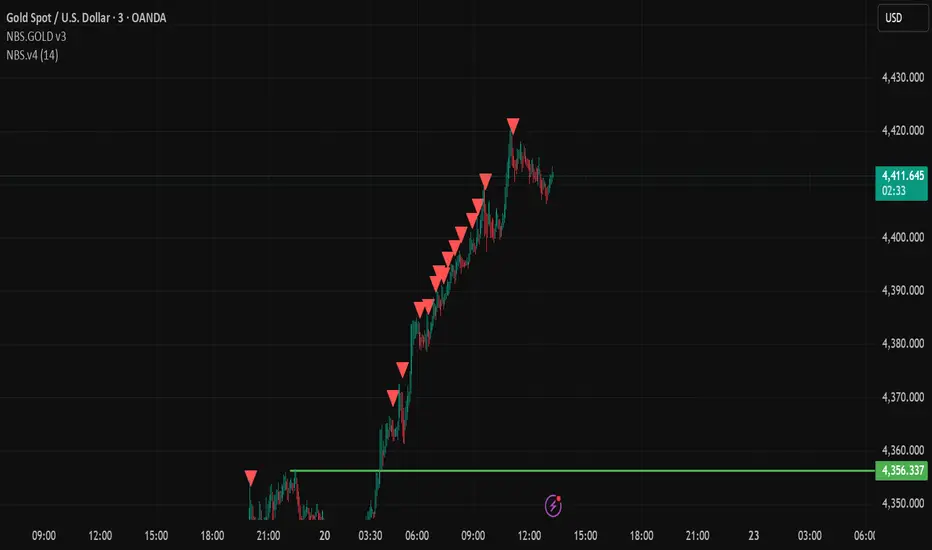
NBS.v4This indicator is designed to help visualize market behavior using price action concepts.
It highlights potential areas of interest based on internal calculations and is intended to be used as a supporting tool, not as a standalone trading system.
Best used on lower timeframes with proper risk management.
This script does not provide financial advice and should be used for educational purposes only.
ODR BoxThis indicator automates the Opening Range Definition (ODR) based on the Ali Khan / ICT Model 1 framework. By capturing the 07:00-09:25 AM Dealing Range, it projects institutional quadrants and standard deviation targets. It is designed to filter out 'retail noise' and highlight the mathematical levels where price delivery is most likely to accelerate or reverse.

UT-Decision Engine v1.0 What This Indicator Does
This is a multi-factor trading signal system that combines four technical analysis components to generate buy/sell signals. Here's the breakdown:
Core Components
1️⃣ UT Trailing Stop (Primary Trigger)
Uses ATR-based trailing stops to identify trend reversals
Only triggers when price crosses the trailing line AND expands beyond a minimum threshold
Acts as the primary "gatekeeper" - no signal fires without this
2️⃣ Supertrend (Trend Filter)
Determines overall market bias (uptrend/downtrend)
Blocks counter-trend signals (won't show LONG signals in downtrends, etc.)
3️⃣ RSI Momentum (Scoring)
Measures momentum using RSI slope
Normalized to contribute -1 to +1 to the final score
Adds conviction when momentum aligns with the trigger
4️⃣ Divergence Detection (Scoring)
Identifies bullish/bearish RSI divergences at pivot points
Uses a decay function (signals fade over time)
Adds extra weight when divergences support the trade direction
5️⃣ Decision Engine
Combines all factors into a score
Only fires signals when:
UT trigger occurs
Trend bias aligns
Combined score ≥ minimum threshold (default 1.2)
now if used along with the market phase dashboard that will help you with determining when to exit trades.

BTC - Institutional Cost Corridor (Overlay)BTC - Institutional Cost Corridor | RM
Strategic Context
The approval of Spot Bitcoin ETFs on January 11, 2024, signaled the beginning of the "Institutional Era." Since then, price discovery has shifted from being purely retail-driven to being heavily influenced by massive, off-chain equity flows.
The Institutional Cost Corridor is an approach for a quantitative tool designed to solve the problem of "Institutional Blindness" by mapping the aggregate cost basis of Wall Street's entry. It allows for the identification of structural "gravity zones" where institutional capital is most likely to move from a state of profit into a state of defense.
The Methodology: Data Selection & Weighting
To ensure the output is statistically significant, the data engine focuses exclusively on the "Big 3" liquidity providers: BlackRock (IBIT), Fidelity (FBTC), and Bitwise (BITB). These three funds represent over 80% of total Spot ETF liquidity. A weighted ratio is applied (prioritizing BlackRock) to reflect the reality that a dollar flowing into IBIT has a significantly higher impact on market structure than a dollar in smaller, fragmented funds. This ensures the indicator follows the actual mass of institutional capital.
Recalculating the Shadow: Nominal Price & AUM
A common point of confusion is that Bitcoin ETFs have a completely different nominal price than Bitcoin itself (e.g., an IBIT share may trade at $50 while BTC is at $100,000). To solve this, the script does not look at the dollar price of the shares. Instead, it uses Assets Under Management (AUM) and Relative Performance Mapping . By calculating the percentage growth of the funds' underlying value since inception and projecting that growth onto the Bitcoin price axis, the script "re-scales" the institutional entry levels. This allows us to see exactly where Wall Street is "underwater" on a standard Bitcoin chart.
The Mathematical Foundations: Genesis vs. Anchored
The indicator utilizes two distinct mathematical approaches to triangulate the "Truth" of institutional positioning. These are not arbitrary assumptions, but forward-mapped models verified against professional financial benchmarks.
1. Conservative Floor (Genesis Mode)
• The Logic: This model uses a Cumulative Inflow VWAP . It treats every dollar that has entered the ETFs since Day 1 as part of a single, massive ledger.
• Scientific Justification: This approach maps to the "Fortress Zone" of early, high-conviction capital. Historical AUM performance data suggests that the largest influx of structural capital occurred during the launch phase of 2024. This logic identifies the Ultimate Floor —the level where the entire ETF cohort would flip to a net loss. In late 2025 research (e.g., Glassnode "True Market Mean"), this model consistently aligns with the deepest structural support of the bull cycle.
2. Wall Street Entry (Anchored Mode)
• The Logic: This model utilize a Relative Performance Anchor . It synchronizes the Bitcoin price on Launch Day with the growth performance of the ETF fund shares.
• Scientific Justification: This approach identifies the "Active Participant Basis." It reflects the entry price for the capital that fueled the most recent expansion cycles. It maps directly to the "Active Investors' Realized Price" cited by institutional research firms, identifying the immediate psychological "pain threshold" for the current market majority.
3. Institutional Mean (Hybrid Mode)
• The Logic: A 50/50 mathematical blend of the Conservative Floor and the Wall Street Entry .
• Justification: This is the "Equilibrium Zone." It serves as a neutral baseline by balancing early-stage "Genesis" conviction with late-cycle volatility. It represents the median cost basis of all current institutional holders.
4. The Shadow Corridor (Full Range)
• The Logic: Visualizes the entire spread between the Conservative Floor and the Wall Street Entry.
• Justification: The "Structural Support Cloud." Instead of a single price, it defines a regime . As long as Bitcoin remains above this cloud, the institutional trend remains in an "Expansion Phase." A re-entry into this corridor suggests a transition from a trending market into a value-accumulation phase.
Tactical Playbook: Scenario Logic
The Shadow Corridor (Full Range) visualizes the area between these two models, creating an "Institutional War Zone."
• Active Support Test: When price tests the Wall Street Entry (upper boundary), it indicates the active institutional majority is at breakeven. Expect significant defensive buying (bids) as funds protect their yearly performance reports.
• Deep Value Regime: Trading inside the Corridor is defined as a "Value Regime." This is where institutional accumulation historically absorbs retail capitulation.
• The Premium Trap: When the distance between price and the Corridor exceeds 35-40%, the market is "speculatively overextended," signaling a high probability of mean-reversion.
• Macro Breakdown: A Weekly (1W) candle closing below the Conservative Floor (lower boundary) signals a structural trend shift, indicating the majority of ETF-era capital is officially in a drawdown.
Operational Recommendation Best viewed on the Daily (1D) timeframe for macro structural analysis, providing the most reliable signal for institutional defense zones.
Tags: bitcoin, btc, etf, blackrock, ibit, institutional, cost-basis, vwap, macro, cycle, realized-price, Rob Maths
