OPEN-SOURCE SCRIPT
업데이트됨 Sector/Industry
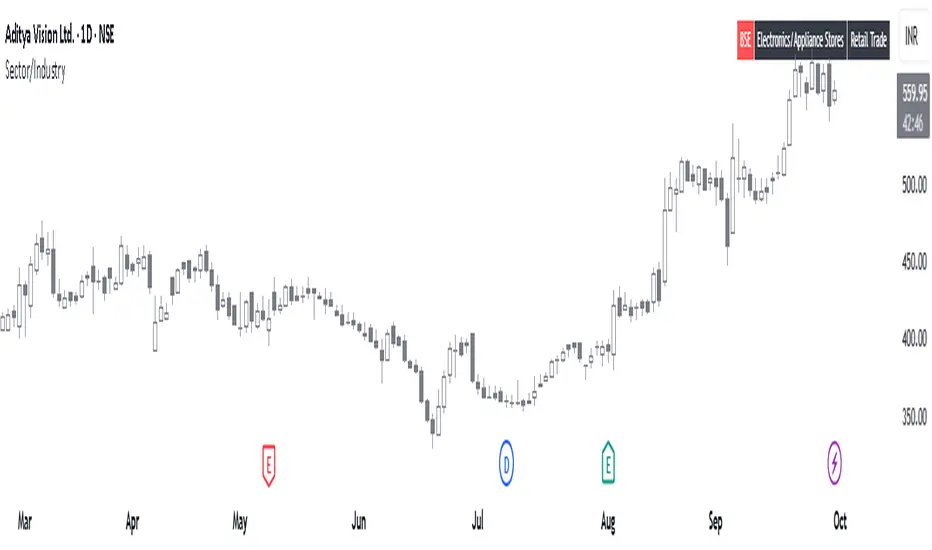
This is a simple script that displays a symbol's sector and industry in a table at bottom right area of the chart.
릴리즈 노트
Added options to customize table on the chart as per preference.The position of table on the chart can be changed.
The background color and text color can be changed.
The text size can be changed.
The layout of the table can be changed now to Vertical or Horizontal.
릴리즈 노트
📊 Sector/Industry Info with BSE Listing CheckThis Pine Script displays the sector and industry of a stock directly on the chart, along with a smart check to identify old BSE-listed stocks newly available on NSE, which are often misidentified as IPOs.
🔍 Key Features:
Sector & Industry Panel: Shows classification for quick reference.
BSE Listing Detection: Flags stocks that were previously BSE-only and are now trading on NSE — helping avoid false IPO assumptions.
Customizable Table: Choose layout, position, text size, and colors.
Perfect for traders analyzing newly listed stocks and wanting accurate context.
오픈 소스 스크립트
트레이딩뷰의 진정한 정신에 따라, 이 스크립트의 작성자는 이를 오픈소스로 공개하여 트레이더들이 기능을 검토하고 검증할 수 있도록 했습니다. 작성자에게 찬사를 보냅니다! 이 코드는 무료로 사용할 수 있지만, 코드를 재게시하는 경우 하우스 룰이 적용된다는 점을 기억하세요.

면책사항
해당 정보와 게시물은 금융, 투자, 트레이딩 또는 기타 유형의 조언이나 권장 사항으로 간주되지 않으며, 트레이딩뷰에서 제공하거나 보증하는 것이 아닙니다. 자세한 내용은 이용 약관을 참조하세요.
오픈 소스 스크립트
트레이딩뷰의 진정한 정신에 따라, 이 스크립트의 작성자는 이를 오픈소스로 공개하여 트레이더들이 기능을 검토하고 검증할 수 있도록 했습니다. 작성자에게 찬사를 보냅니다! 이 코드는 무료로 사용할 수 있지만, 코드를 재게시하는 경우 하우스 룰이 적용된다는 점을 기억하세요.
면책사항
해당 정보와 게시물은 금융, 투자, 트레이딩 또는 기타 유형의 조언이나 권장 사항으로 간주되지 않으며, 트레이딩뷰에서 제공하거나 보증하는 것이 아닙니다. 자세한 내용은 이용 약관을 참조하세요.